Professional data loggers cost thousands and lock your laps inside proprietary software. Traceline is a cross-platform track telemetry app — one codebase running on Windows, Android and Linux, adapting to a landscape desktop or a portrait phone. Connect GPS, IMU, OBD or VESC and you get live lap times, G-forces, telemetry traces, a track map it learns by itself, and an AI coach that reads the data.
专业数据记录仪动辄几千块,还锁死在私有软件里。速迹是一款跨平台赛道遥测 App—— 一套代码同时跑在 Windows、Android 和 Linux 上,桌面横屏、手机竖屏皆自适应。接上 GPS / IMU / OBD / VESC,就有实时圈速、G 值、遥测曲线、一张自己学出来的赛道地图,外加一位懂数据的 AI 教练。
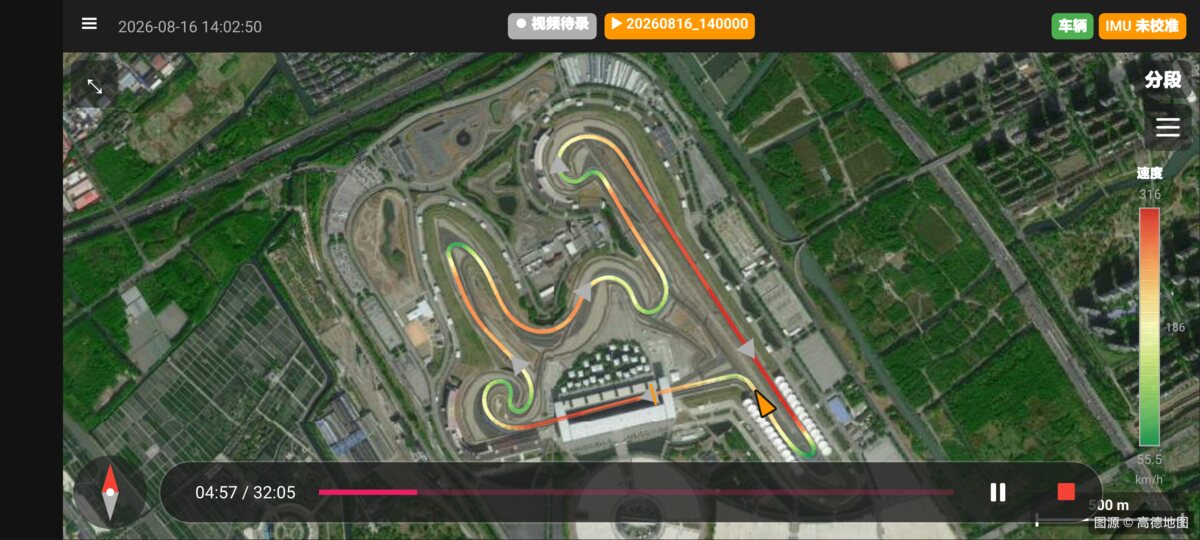
No tracing a circuit by hand and no waiting for someone to publish it. Drive, and the map assembles from your own laps — adaptive grid, loop closure, spline fitting — then sits on satellite imagery so you can see where you actually were. Draw a sector line and it times from that moment.
不用手描赛道,也不用等别人发布。你开,地图就从你自己的圈里长出来 —— 自适应网格 + 回环检测 + 样条拟合,再叠在卫星影像上,你能看清自己到底在哪。划一条分段线,立刻开始计时。
The grid refines as you keep driving, closes the loop when it recognises where it has been, and fits a smooth centreline. A car park works as well as a Grade 1 circuit.
越跑越准:网格细化、识别回环、拟合中心线。国际赛道能用,停车场同样能用。
Start/finish and sector lines are crossed by the vertex method, not by "close enough to a point" — so a wide line and a tight line get timed the same way.
起终点与分段线用顶点法判定过线,而不是「离某个点够近」—— 走外线和走内线的计时口径一致。
Tiles are cached on the device, so the map still draws in a paddock with no signal.
瓦片本地缓存,维修区没信号也照样出图。
Best, coach, last and predicted lap on one panel, with a live delta that updates as you drive and a sector table that fills in as you cross each line. The prediction is three-tier: it uses your position on the track, your pace through the current sector, and your history — so it degrades gracefully instead of jumping around.
最佳圈、教练圈、上一圈、预测圈速同屏,实时 Delta 随开随更新,分段表每过一条线填一格。预测用三级策略 —— 赛道位置、当前分段节奏、历史成绩 —— 数据不足时逐级退化,而不是乱跳。
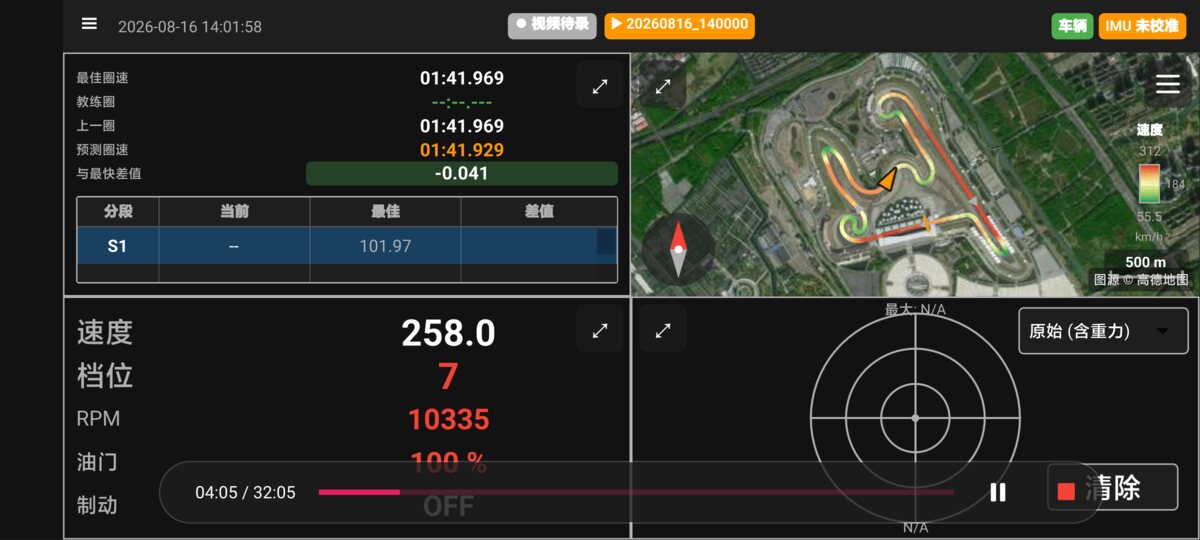
How far ahead or behind your reference you are, right now, at this point on the track.
此刻、在赛道的这个位置上,你比参考圈快多少或慢多少。
Save a lap as the coach lap and compare against it session after session, instead of only against your best of the day.
把某一圈存为教练圈,以后每次都对着它比,而不是只跟当天最快圈比。
Current, best and delta per sector — where the time went, not just how much.
每段的当前 / 最佳 / 差值 —— 看的是时间丢在哪,而不只是丢了多少。
GPS, IMU and wheel speed go through an extended Kalman filter, so one noisy source does not throw the whole trace. Connect what you have: a USB or Bluetooth GNSS, the phone's own IMU or a WitMotion unit, OBD-II over ELM327, or a VESC over CAN and BLE — combustion and electric alike.
GPS、IMU 与轮速经扩展卡尔曼滤波(EKF)融合,单一信号抖动不会拖垮整条轨迹。手头有什么就接什么:USB / 蓝牙 GNSS、手机自带 IMU 或维特智能模块、ELM327 的 OBD-II、走 CAN 与 BLE 的 VESC —— 油车电车通吃。
The filter knows how much to trust each source at each moment — a GPS with a poor fix is weighted down rather than thrown away.
滤波器知道每一刻该信谁多一点 —— 定位质量差的 GPS 会被降权,而不是直接丢弃。
Five steps using Markley's eigenvalue method, with slope detection so a calibration done on a ramp does not quietly poison every lap afterwards.
五步引导标定(Markley 特征值法),带坡道检测 —— 免得在斜坡上标定,之后每一圈都悄悄错下去。
Generic OBD-II works on any car and stays free. VESC adds live read/write of motor parameters.
通用 OBD-II 所有车都能用,且始终免费;VESC 还支持电机参数实时读写调校。
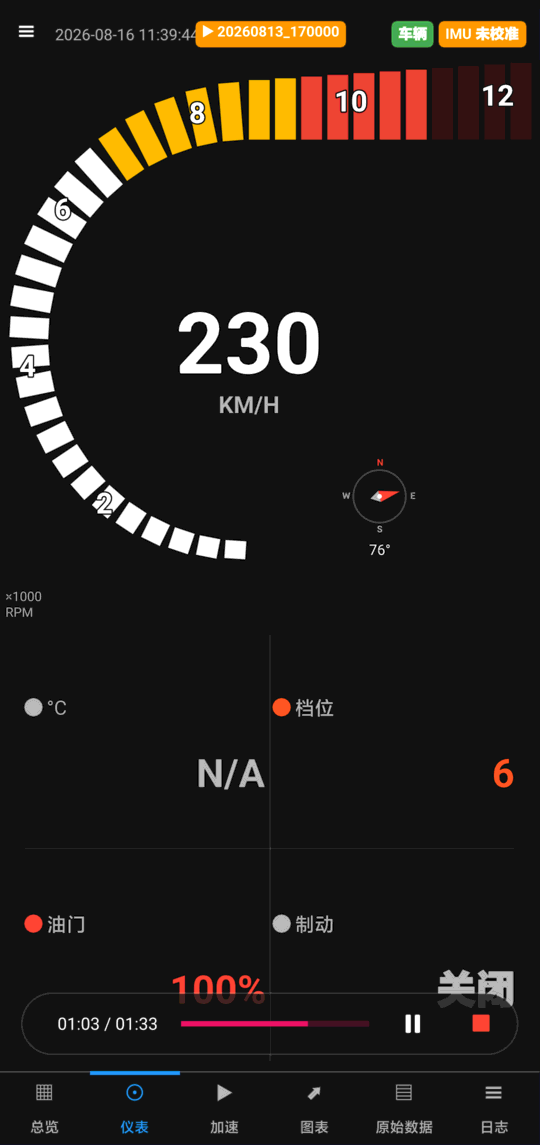
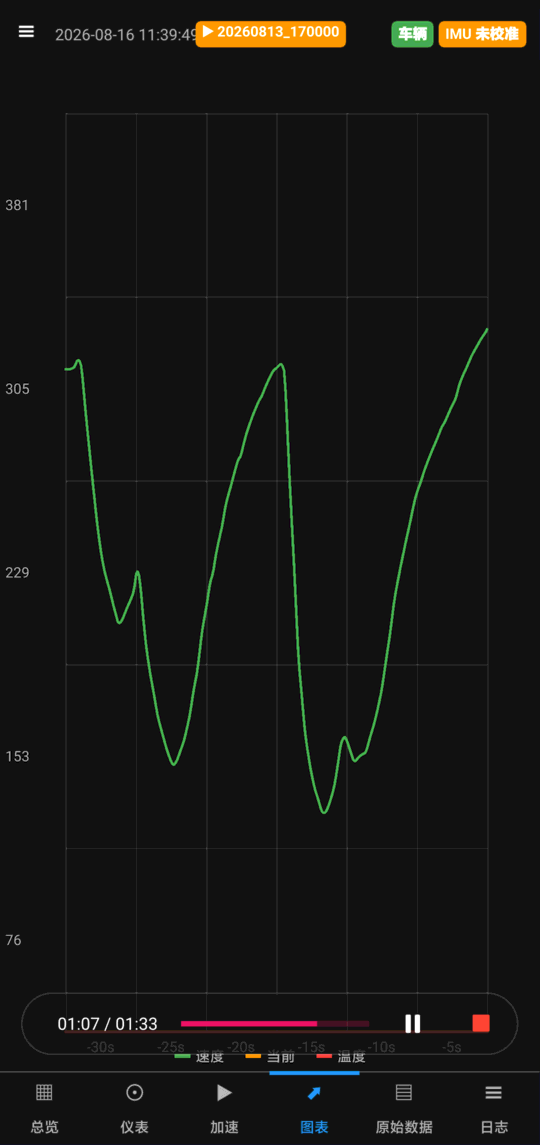
Every channel is logged in sync and plotted against time or distance: speed, RPM, throttle, brake, gear, temperatures, lateral and longitudinal g. Overlay laps to see exactly where one was better than another, and look at the friction circle to see whether you were actually using the grip you had.
所有通道同步记录,可按时间或距离绘制:速度、转速、油门、制动、挡位、温度、横向与纵向 G 值。多圈叠加,一眼看出哪一段更快;摩擦圆则告诉你,手上的抓地力到底用满了没有。
Entry, apex and exit per corner, compared against your reference lap.
每个弯的入弯、弯心、出弯,与参考圈逐一对比。
Combined lateral and longitudinal g, so a lap that felt fast but never loaded the tyres shows up as exactly that.
横向与纵向 G 的合成分布 —— 那种「感觉很快、其实从没把轮胎用满」的圈,会原形毕露。
Colour the racing line by speed, throttle, braking or lateral g and read a whole lap's behaviour at a glance. VIP
按速度 / 油门 / 制动 / 横向 G 给行车线上色,一整圈的表现一眼可见。VIP
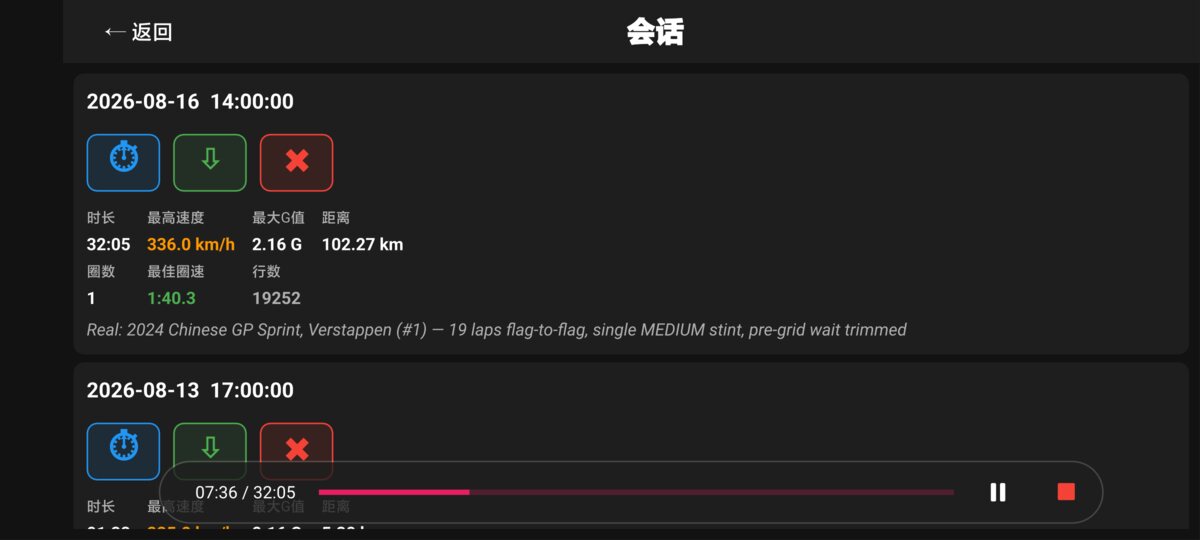
Every session is a file on your device: the raw CSV, a manifest describing how it was recorded, and the track it was driven on. Replay it inside the app at full rate and watch the whole dashboard come back to life — useful for showing someone what happened, and for checking a setup change without going back out.
每一场会话都是你设备上的文件:原始 CSV、记录当时状态的清单,以及所跑的赛道。可在 App 内原速回放,整个仪表盘重新活过来 —— 给别人复述当时发生了什么,或者验证一次调校改动,都不必再出场一次。
The session is pushed back through the same pipeline that recorded it, with the capture-time settings restored — so what you see is what you drove, not what your settings look like today.
会话按记录时的同一条管线回放,并恢复当时的设置快照 —— 你看到的是当时开的样子,而不是今天的设置。
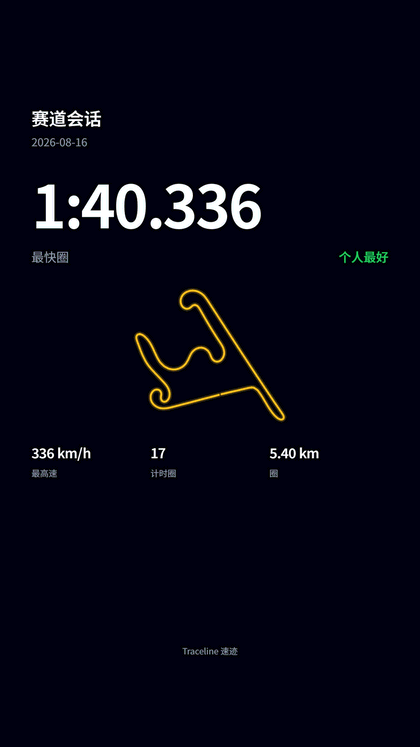
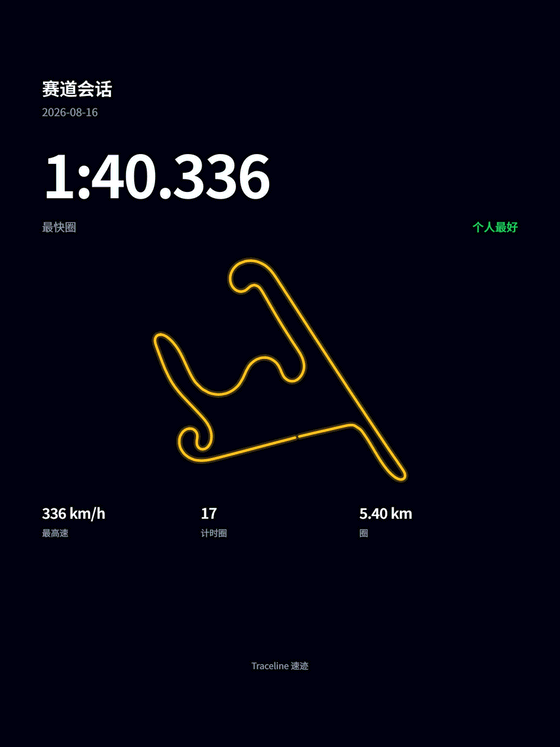
A 9:16 story card, a 3:4 post, or a long-form PDF to send to a coach. Rendered on the device — nothing is uploaded.
9:16 竖屏卡、3:4 帖子图,或给教练的长篇 PDF。全部在本机渲染,不上传任何数据。
CSV, GPX or KML for a spreadsheet or a mapping tool, or the whole session as one bundle. VIP
导出 CSV / GPX / KML 给表格或地图工具,也可以把整场会话打包带走。VIP
This is a real debrief, not a mock-up: 17 timed laps of the 2024 Chinese GP Sprint replayed through the app. Every number below was produced on the device.
下面是一份真实复盘,不是效果图:2024 中国站冲刺赛的 17 个计时圈在 App 内回放而成,每个数字都是本机算出来的。
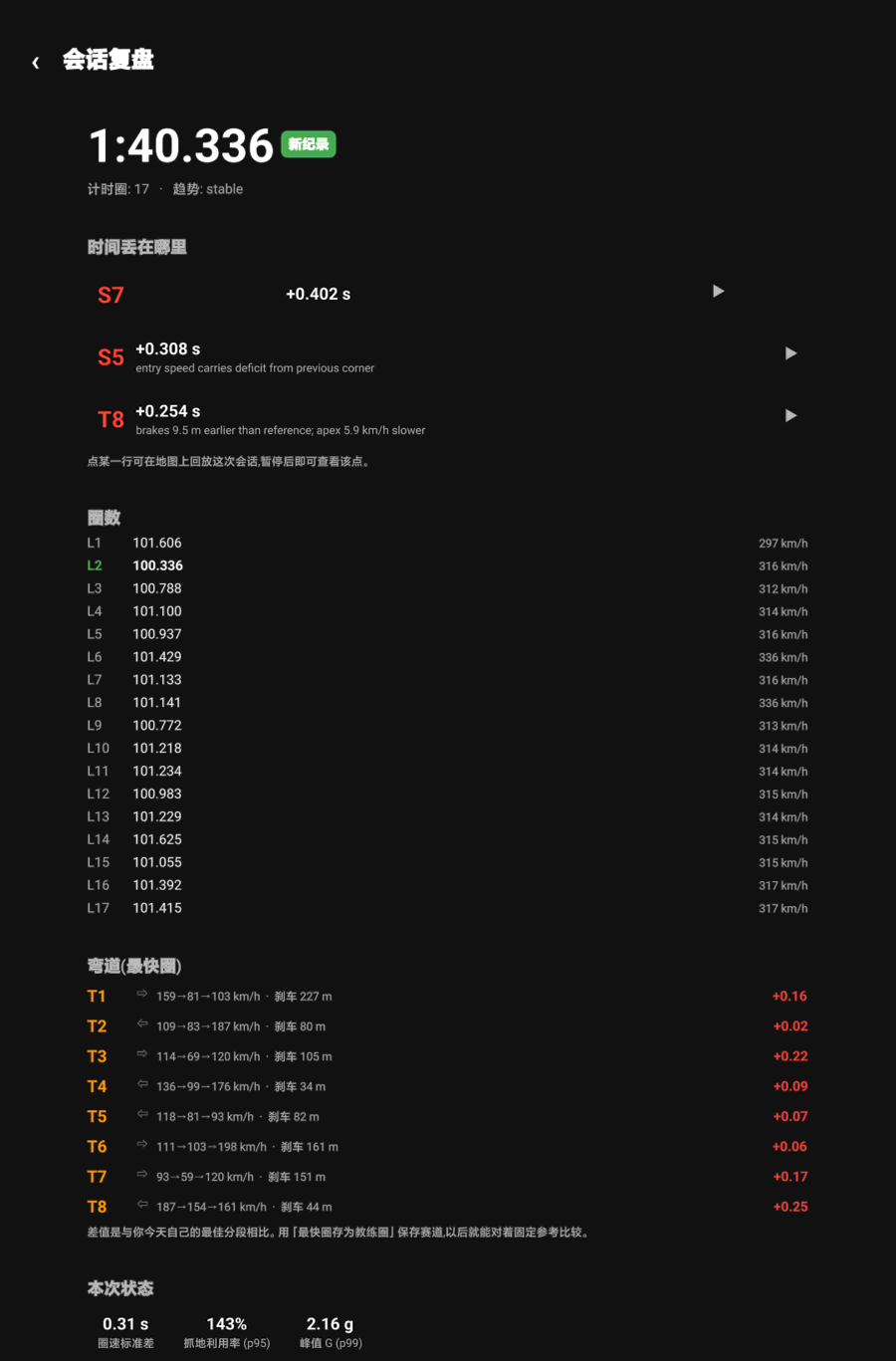
The three costliest segments, each with a reason rather than a number alone — "brakes 9.5 m earlier than reference; apex 5.9 km/h slower". Tap one to replay that corner.
最贵的三段,每段都给出原因而不只是数字 —— 「比参考早 9.5 m 刹车,弯心慢 5.9 km/h」。点一行即可回放该弯。
Lap times with top speed per lap, then each corner's entry → apex → exit and braking distance, compared against your own best.
逐圈圈速与该圈最高速,再到每个弯的入弯 → 弯心 → 出弯与刹车距离,与你自己的最佳分段相比。
Lap-time standard deviation, how much of the available grip you actually used, and peak g — the numbers that separate a fast lap from a fast driver.
圈速标准差、抓地利用率、峰值 G —— 把「跑出一个快圈」和「开得快」区分开的那几个数。
Two ready-made cards, rendered on the device — nothing is uploaded to make them. The long-form PDF is there too, for sending to a coach.
两种现成卡片,均在本机渲染 —— 生成过程不上传任何数据。另有长篇 PDF,适合发给教练。
Turn it on once and the camera starts with every session and stops with it — there is no record button on the driving screens, because a driver about to go out is not thinking about a camera, and a video that was never started is worth nothing. Afterwards, play the session back with speed, throttle, brake, g-force and the track map drawn over the footage — each readout in the style you choose, dragged to where you want it, pinched to the size you want it.
开启一次即可:每次开始会话自动开始录像,结束时自动停止 —— 驾驶界面上没有录制按钮,因为准备出场的人不会想着摄像头,而没按下的录像等于没有。之后回放时,速度、油门、制动、G 值与赛道图会画在画面上 —— 每项数据都能选样式,拖到想放的位置,捏合到想要的大小。
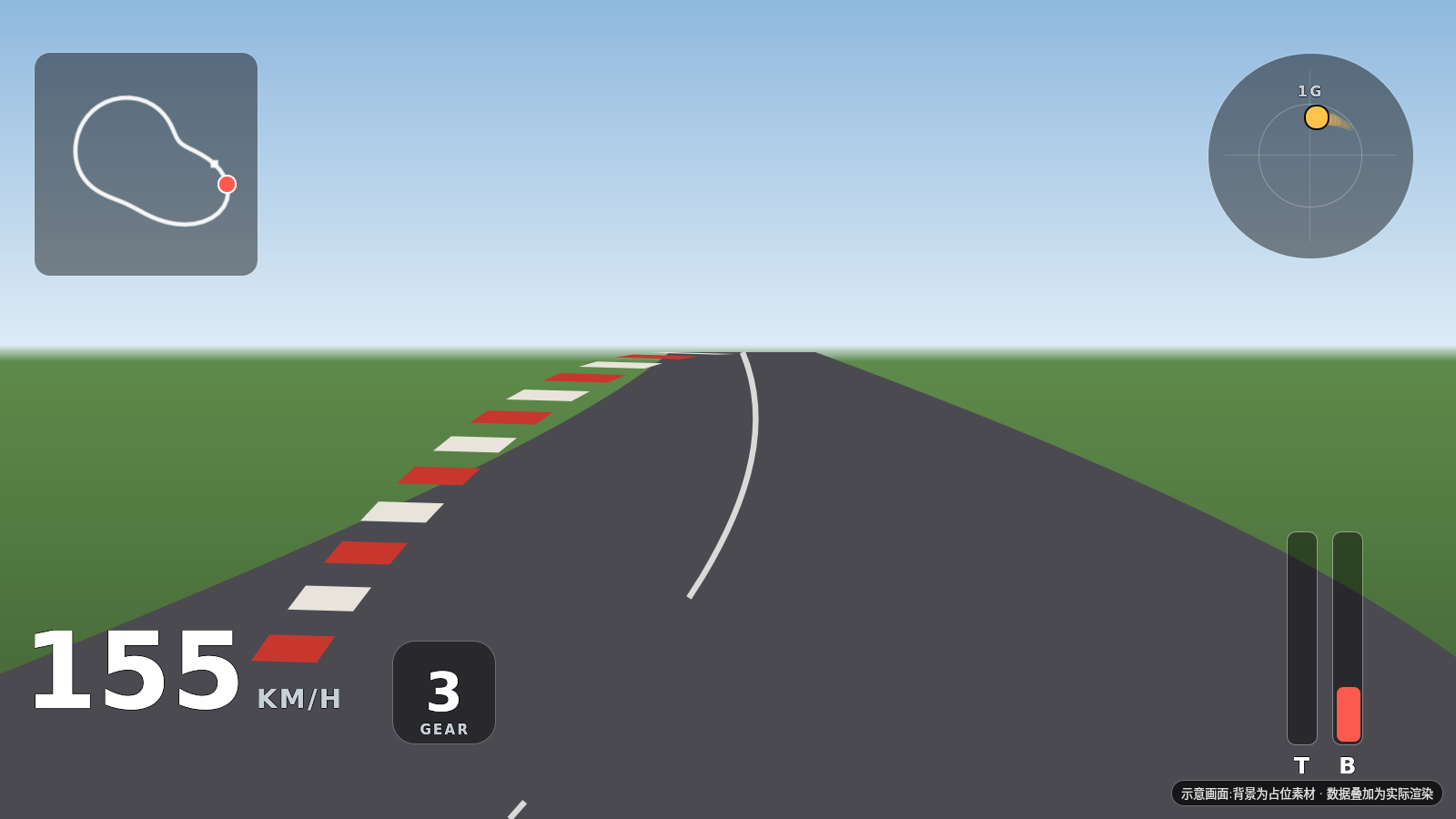
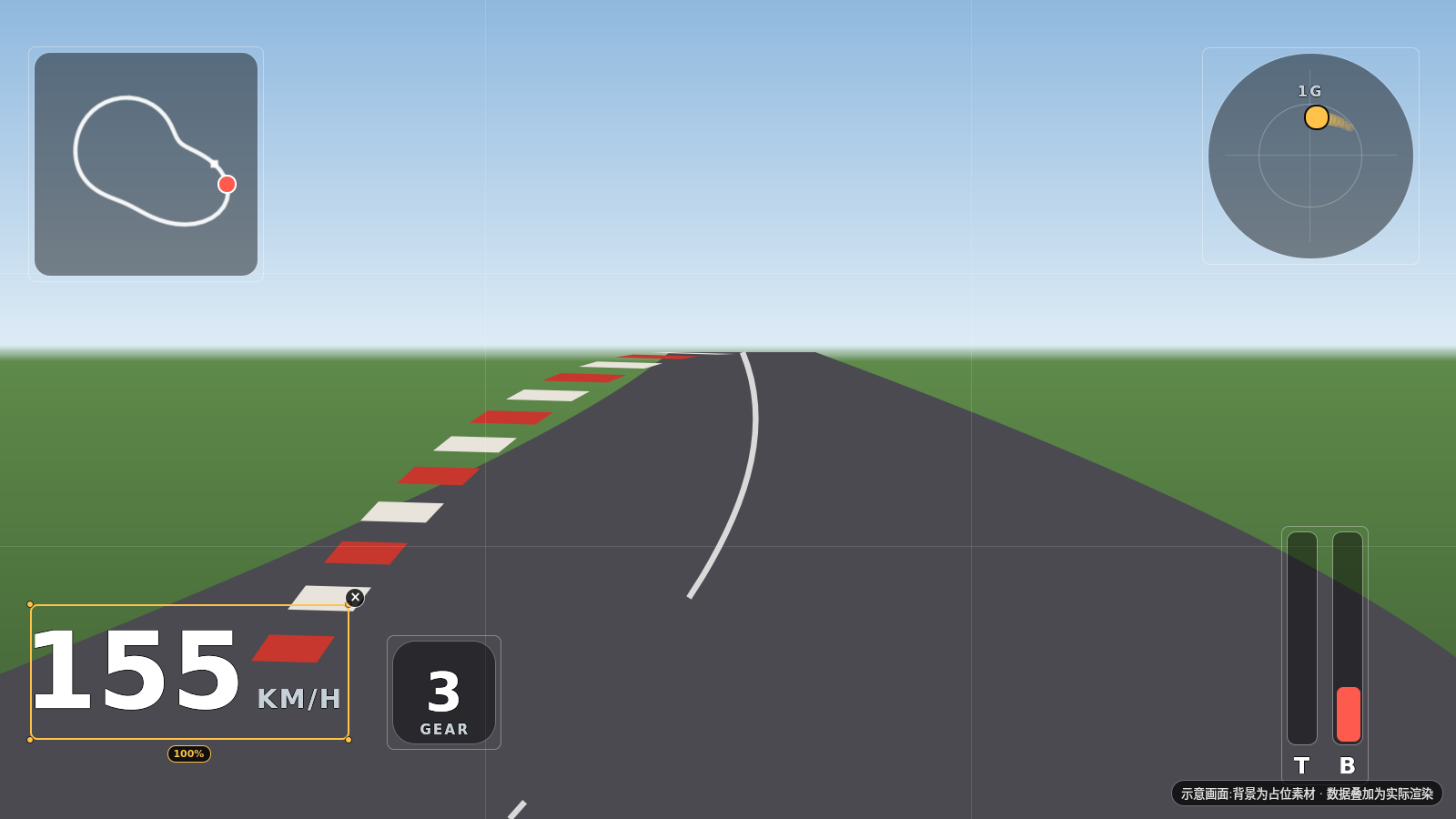

Armed in settings, it films every session. Pick the camera and check the framing on a live preview first — a phone pointed at the passenger footwell is a mistake you only catch by looking.
在设置里武装好,之后每场会话都会拍。先在实时预览里选好摄像头、看准取景 —— 手机对着副驾脚垫这种错,只有看一眼才能发现。
Recordings carry the millisecond the camera actually started, next to the millisecond the session did, so the overlay is arithmetic rather than guesswork.
录像会记下摄像头真正开始的毫秒数,与会话开始的毫秒数并排存放,对齐是算出来的,不是猜出来的。
A dash cam or an action camera has no such timestamp, so alignment is a visible control: nudge from 0.1 s to 10 s until a braking point matches, then save it for that pairing.
行车记录仪或运动相机没有这个时间戳,所以对齐是一个常驻控件:从 0.1 秒到 10 秒微调,直到刹车点对上,再为这一对素材保存下来。
Nine data types, two or three styles each — big numerals, dials, bars, rings, a friction circle with a trail. Every style choice is a live preview, and a car without a sensor is never offered the readout for it.
九类数据、每类两到三种样式 —— 大字、表盘、条形、圆环、带轨迹的摩擦圆。每个样式选项都是实时预览;车上没有的传感器,对应读数根本不会出现。
During the lap, spoken cues about personal bests, lost time, the grip limit and rising temperatures — generated on the device, so there is no network in the loop while you are driving. After it, a written debrief built from the same facts the screens are showing, and a conversation you can have with any past session.
跑圈中用语音提示个人最佳、损失的时间、抓地极限与温度升高 —— 在本机生成,开车时链路里没有网络。跑完后,基于屏幕上同一批事实生成文字复盘,还能就任意一场历史会话与它对话。
Local text-to-speech, rate-limited so it speaks when it matters instead of narrating the whole lap. VIP
本地语音合成,并做了频率限制 —— 该说的时候说,而不是全程解说。VIP
The analysis pipeline produces the numbers; the AI writes them up. It cannot disagree with the screen you were just looking at.
数字由分析管线算出,AI 只负责把它写成话 —— 它说不出与你刚看过的界面相矛盾的结论。
Bring up a drive from last month and ask what changed. Included in SVIP; VIP can use its own key.
翻出上个月的一次跑动,问它到底变了什么。SVIP 已包含;VIP 也可以接入自己的密钥。
Android, direct APK. Driving is free and always will be; a new account also gets 7 days of everything membership adds.
Android 版,APK 直装。开车本身免费,并且一直免费;新账号另有 7 天会员功能全开。
Membership is bought against your studio account, not the phone — sign in with the same email in the app and it syncs. Free launch memberships are still available.
会员绑定工作室账号而非手机 —— App 内用同一邮箱登录即可同步。现在还有开业免费名额可领。
Driving is free. Logging, lap timing, the track library, reference-lap comparison, corner breakdown, the friction circle and the Coach PDF are not a trial and never expire. Membership is for session export, the voice coach, the heatmap layers, extended OBD profiles — and cloud backup on the yearly plans. 开车是免费的。记录、圈速、赛道库、参考圈对比、逐弯拆解、摩擦圆、教练 PDF —— 全部不是试用,永不到期。会员买的是会话导出、语音教练、热力图指标层、OBD 扩展档案,以及年费方案里的云备份。
 IVY Drive